Motion Sensor Build
Learning intention
We are learning to use a sensor so a robot can react to what is around it.
We are learning to use a motion sensor to make a robot respond to changes in its environment.
Success criteria
- I can put the motion sensor on Milo in the right spot.
- I can see the sensor show up when I connect.
- I can write a program that makes Milo drive and stop when he sees the plant.
- I can mount a sensor on a robot and verify it reports data to the hub.
- I can write a program that uses sensor input as a condition to change the robot's behaviour.
- I can predict how changing the detection threshold will affect when the robot stops.
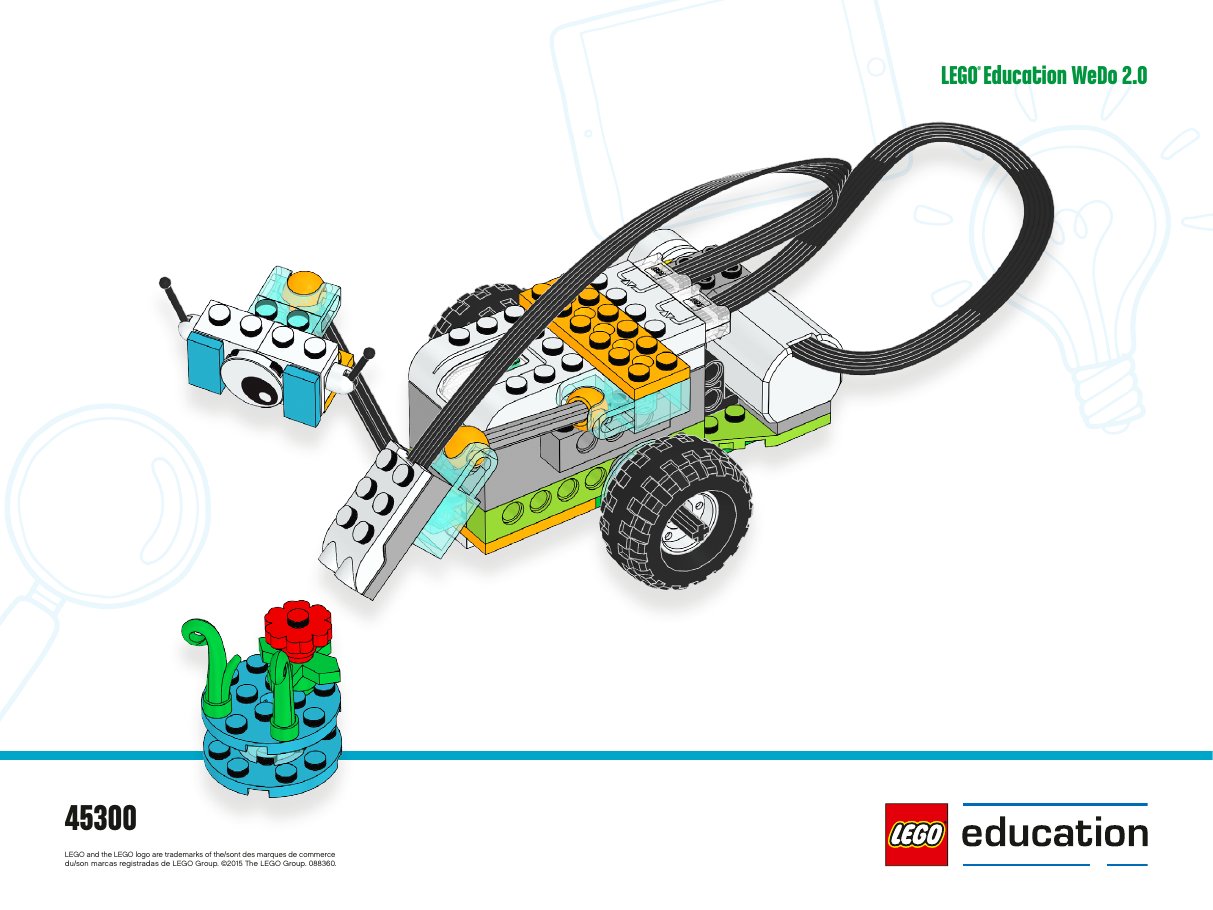
Our mission
Max and Mia need Milo to spot things as he drives. We'll add a motion sensor arm so Milo can see the plant and know when to stop.
Learning intention
We are learning to…
…use a sensor so a robot can react to what is around it.
…use a motion sensor to make a robot respond to changes in its environment.
Success criteria
I can…
- …put the motion sensor on Milo in the right spot.
- …connect the Smart Hub and see the sensor show up when I connect.
- …write a program that makes Milo drive and stop when he sees the plant.
- …mount a sensor on a robot and verify it reports data to the hub.
- …write a program that uses sensor input as a condition to change behaviour.
- …predict how changing the detection threshold affects when the robot stops.
Step 1 · Explore
Talk about it: Why do scientists need special tools to help them? A Mars rover is really, really far from Earth. Why does it have to decide for itself when to stop or turn?
Lesson: WeDo 2.0 Getting Started — Project B (~15 min).
Create: students build the sensor arm + a plant on a round plate, then program Milo to stop at the plant.
Share: teams record a short video of the "mission".
Prompt: what does the Debug log show when the sensor is empty vs. right in front of the plant?
Step 2 · Make it
Build the sensor arm and the plant using the steps below. Then open Find the plant to make Milo stop when he spots it.
Step 3 · Share
Take a video of Milo on his mission. Think about: what number did the sensor show when the plant was far away? What about when it was close? Could Milo find the plant without the sensor?